Seller guide

Sign in and manage your plan

Recover account access, choose a plan, and manage subscription billing.

Updated October 3, 2026

The 30-second answer

Sign in with the original Google account or email link. New sellers claim a store URL and accept the platform terms. Open Billing for your current plan, payment management and cancellation options.

Open Billing

Create your seller account

Choose Create your store on Aksara. Continue with Google or an email sign-in link. After verification, claim your store URL, enter a store name and accept the platform terms. You can then start your first product. Keep the original sign-in email so you can return to the same store.

Use the same sign-in method

Sign in with Google or request an email sign-in link. Use the address associated with your seller account. Check spam if a sign-in email is missing. A buyer purchase link is separate from a seller sign-in link.

Check your current plan

Open Billing to see your plan. Starter: $0/month and 8% Aksara transaction fee. Growth: $19/month and 3% Aksara transaction fee. Scale: $59/month and 1% Aksara transaction fee. A platform subscription pays for Aksara features; it is separate from product purchases made by your buyers.
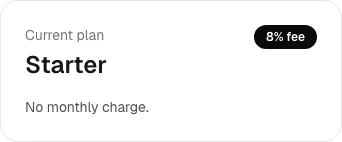
Billing showing the example seller on Starter
Billing in an example Starter account. No paid subscription was created. Select the image to view it full size.

Manage a paid subscription

Use Manage payment and plan in Billing for payment details. Growth to Scale upgrades are charged with the applicable proration. Scale to Growth changes take effect at the next billing boundary. Review the amount and timing shown before confirming.

Cancel when you need to

Open the cancellation option in Billing and follow the steps. Check the resulting status and renewal date. Canceling the platform subscription is separate from refunding a buyer order.

What success looks like

You can see the account's current plan and confirm any subscription change in Billing.

Common questions

Do presets require a subscription?

Clean, Warm and Photo work on Starter. Custom typography and other paid appearance entitlements require Growth or Scale.

Does paying for Aksara activate seller payments?

No. Stripe verification, seller eligibility and publication requirements still apply. A paid plan does not bypass the Checkout launch restriction.

I signed into the wrong account. What now?

Sign out and use the original email or Google account. Contact support if you cannot access that address. Do not create another store to recover an existing one.

Still stuck?

Tell us which step failed and what you expected. Include an order reference if you have one. Keep passwords, card details and private access links out of your message.

Contact support