Start with your file
Sign in to Your page, choose Add, then a download. Select the file you want to sell. You can sell digital files or a bundle of files. Choose Add product details next. The upload starts when you save the details and choose Review your store.
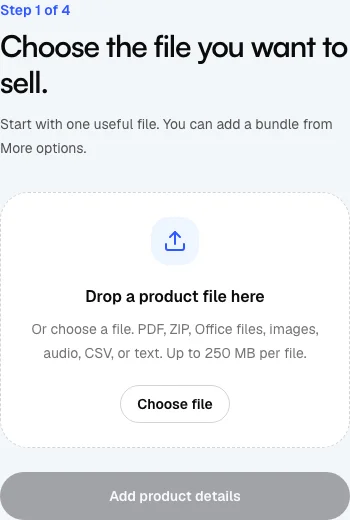
Describe the product and set its price
Choose Add product details. Enter a product name, explain what buyers get, and enter the price in the currency shown. Add a cover if you have one. Make the file format and contents clear. Choose Review your store to save the draft and upload the files, then wait for the upload to finish.
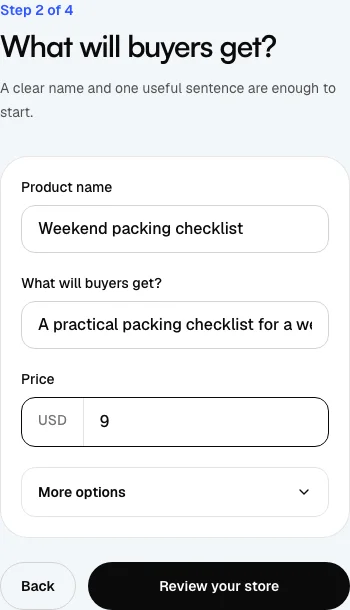
Review your store
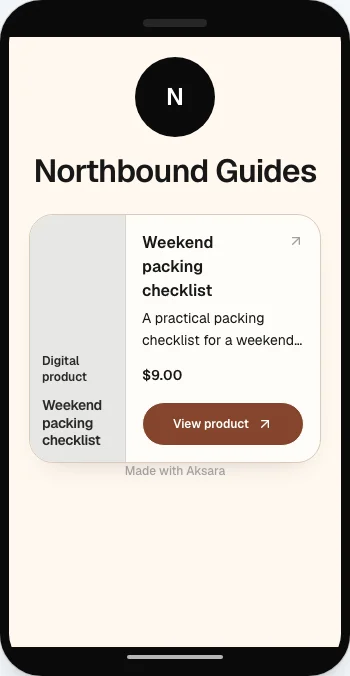
Choose Review your store. The preview uses your actual draft store settings and includes your draft product. You can select Clean or Warm here, or return to Your page for direct editing. Check the identity, product and price before approving the preview.
Finish the publication checklist
Approval does not mean the product is public. Files must pass the safety check, Stripe must be ready, and seller terms and creator policies need review. Open Publish on Your page to select the ready offers for publication. You can leave an unfinished offer private and return later.