Check your seller country
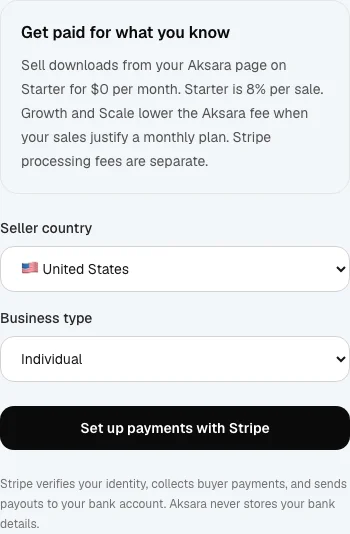
Open Payouts and choose your business country from the available list. Only enabled countries can connect. Check the seller-country guide for the current list. Country selection is locked after the connected account is created.
Complete Stripe setup
Choose the business type that matches your business, then Set up payments with Stripe. Stripe asks for the identity, business and bank details it needs for your account. Use accurate information. Aksara does not replace Stripe's verification requirements.
Resolve any requirements
Return to Payouts after Stripe setup. If verification is incomplete, follow the requirement notices and supply the requested information. Leaving Stripe setup or returning to Aksara is not proof that the account is ready.
Check both readiness states
Payment readiness and payout readiness are separate. Both must be ready before paid products can become eligible for sale. Connecting Stripe does not enable Checkout while Aksara's launch restriction is in place.